

Mesmerize with the Advanced Eye Color AI Editor
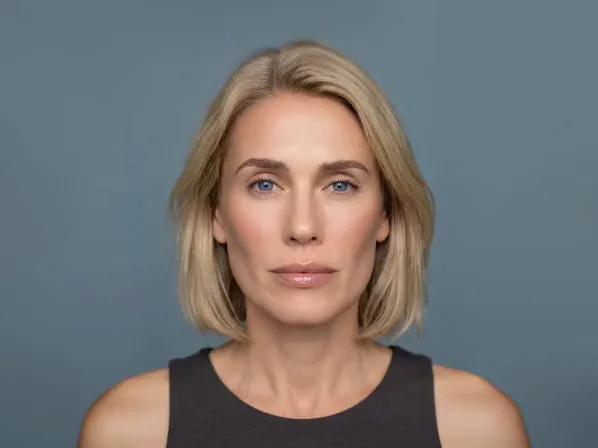
Make your eyes unforgettable. The Eye Color AI Editor lets you change eye color in photos with striking realism, from piercing blue to warm hazel or emerald green. Our eye color app finds the iris precisely and keeps the pupil and catchlights intact, which separates a believable edit from a fake filter. Enhance your natural shade or reinvent your look.
Explore more Facelab tools
AI Make Up Editor
Apply virtual lipstick, eyeshadow, and blush instantly.
Open Tool →AI Hairstyle
Try any hairstyle and color — from subtle to bold.
Open Tool →Object Remover
Erase unwanted objects from photos with AI precision.
Open Tool →Photo Expander
Expand any photo with AI-generated edges in seconds.
Open Tool →Background Remover
Remove any background in seconds with AI precision.
Open Tool →Watermark Remover
Erase watermarks and logos from any image instantly.
Open Tool →AI LinkedIn Headshot
Generate professional headshots from any selfie.
Open Tool →Clothes AI Editor
Swap outfits and try new styles with AI.
Open Tool →AI Teeth Whitening
Brighten your smile with realistic whitening in one tap.
Open Tool →Eye Color AI Editor
Change eye color naturally — any shade, any photo.
Open Tool →AI Shadow Remover
Remove harsh shadows from photos automatically.
Open Tool →Image Upscaler
Enlarge photos up to 4× without losing quality.
Open Tool →Body Editor
Slim, reshape, or adjust body proportions with AI tools.
Open Tool →Skin Retouch
Smooth skin, reduce blemishes, perfect your complexion.
Open Tool →Face Shape Editor
Subtly reshape facial features with natural precision.
Open Tool →AI Profile Photo Editor
Turn any selfie into a stunning profile picture.
Open Tool →Resizing Image
Resize photos to any size without quality loss.
Open Tool →Instagram AI Photo Editor
Edit photos for Instagram with one tap AI presets.
Open Tool →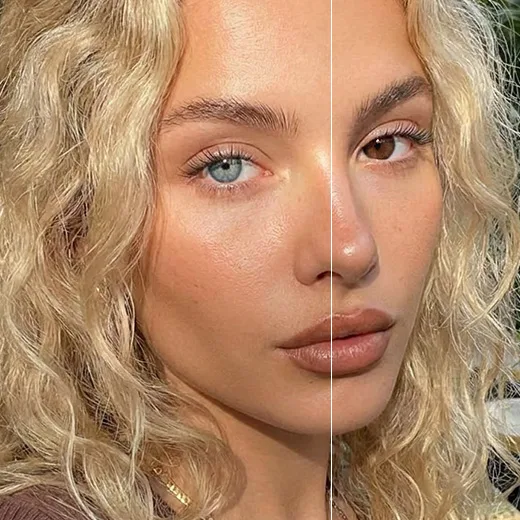
Changing Eye Color in Pictures with Realism
When changing eye color in pictures, Facelab's AI accounts for how dark your eyes start and blends the new pigment naturally, so even dark brown to light blue keeps depth and texture. Adjust opacity to suit your skin tone and hair.
Try a New Look with Our Eye Color App
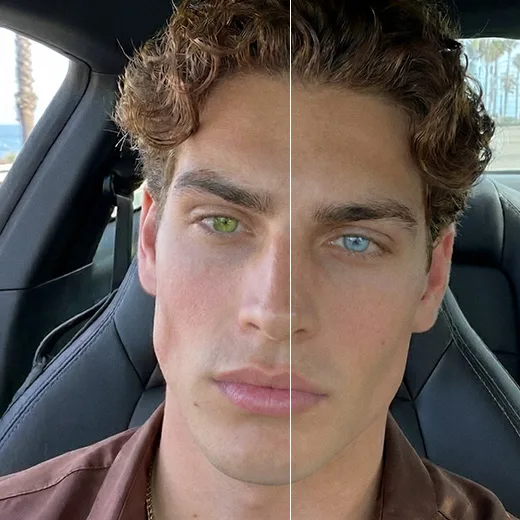
Curious about colored contacts but afraid of the discomfort? Our eye color app is a virtual try-on. Test dozens of shades in seconds, from honey and gray to bold violet or amber, ideal for cosplay or refreshing your feed.
Brighten and Define Your Gaze
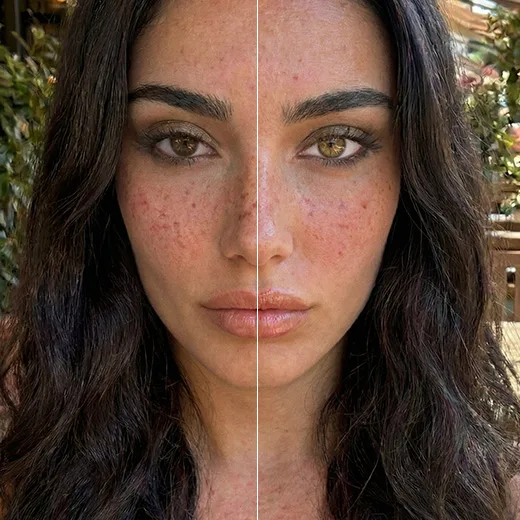
Sometimes you want eyes that look more awake, not a new color. Beyond letting you change eye color in photo edits, Facelab brightens the whites and sharpens the iris, which helps most in low light. A little contrast pulls the viewer straight to your gaze.
Stand out with Facelab.
Facelab is the quick and easy photo editing app to make impactful social posts, product images, and creative visuals. Create one-of-a-kind content fast — regardless of skill level — with powerful AI tools, an intuitive editor, and professional results ready to share in seconds.
What our users say
“I used to spend 20 minutes editing photos by hand. Now it takes 5 seconds. The results look more polished too.”
“Perfect for my e-commerce store. My listings look so much more professional now — and it's instant.”
“I tried every free tool out there. Facelab handles edge cases — hair, fine details — better than anything else.”
“I shoot products on my kitchen table. Facelab makes them look like a proper studio shot every time.”
“Used to outsource at $5 a photo. Now it's instant and free. The quality is identical — clients can't tell.”
“I edit photos for marketing assets in minutes. It completely changed how fast I can ship creative.”


Do more with the Facelab app
Get 25+ AI-powered editing tools, filters, and creative effects — free on iOS and Android.


Facelab Eye Color AI Editor: Frequently Asked Questions
Instantly transform your gaze with the Facelab eye color app. Read our FAQ to discover how our advanced AI editor lets you realistically change eye color in photos, brighten your natural shade, and experiment with vibrant new looks seamlessly.
How does the Facelab eye color app create realistic results?
The Facelab eye color editor creates highly realistic results by detecting your iris with extreme precision while preserving your natural pupil and light reflections (catchlights). Instead of applying a flat, artificial filter, our AI blends the new pigment with your original eye darkness to ensure genuine depth and texture.
Can I change eye color in a photo from dark brown to light blue?
Yes, you can seamlessly change eye color in a photo from dark brown to light blue. When changing eye color in pictures, our advanced AI analyzes your original eye tone and intelligently blends the new color so the final result looks completely natural rather than like a fake contact lens.
Is the eye color app useful for trying out colored contact lenses?
Absolutely, our eye color app acts as a perfect virtual try-on tool for colored contact lenses. You can test dozens of shades in seconds—ranging from natural honey and gray to exotic violet or amber—to see exactly which color best complements your skin tone and hair before making a physical purchase.
Can I use the tool to brighten my eyes without changing their color?
Yes, you can use the change eye color in photo tool to simply brighten and define your natural gaze. The AI allows you to whiten the sclera (the whites of your eyes) and sharpen the intricate iris details, which is perfect for fixing dull or dark eyes in poorly lit portraits.
Can I adjust how intense the new eye color looks?
Yes, you retain complete control over the final look when changing eye color in pictures. Our AI editor provides intuitive sliders to adjust the opacity and intensity of the new shade, ensuring your eye transformation harmonizes perfectly with your natural facial features and personal style.
Try Facelab Now!
Virtual makeup, skin retouching, and AI enhancement — free to try right now.
Free to download · No commitment required