
Create Viral-Worthy Content with the Ultimate Instagram AI Photo Editor
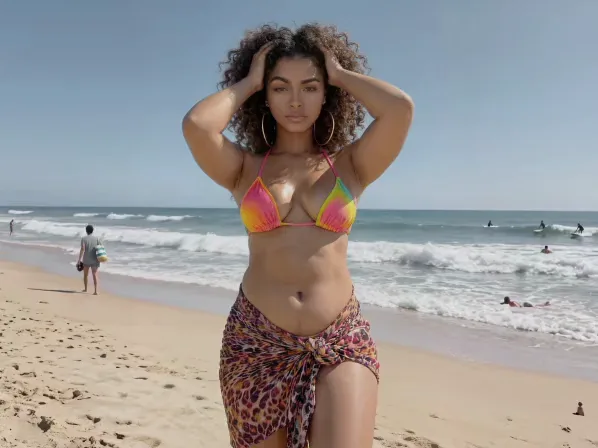
Every creator needs a reliable instagram photo editor. Our instagram photo AI editor goes past basic filters, reading lighting, composition, and facial detail to enhance images automatically. Fix an overexposed beach shot or add a moody, professional look without juggling three apps. One place to crop, retouch, and color-grade, so every post looks polished and algorithm-friendly.
Explore more Facelab tools
AI Make Up Editor
Apply virtual lipstick, eyeshadow, and blush instantly.
Open Tool →AI Hairstyle
Try any hairstyle and color — from subtle to bold.
Open Tool →Object Remover
Erase unwanted objects from photos with AI precision.
Open Tool →Photo Expander
Expand any photo with AI-generated edges in seconds.
Open Tool →Background Remover
Remove any background in seconds with AI precision.
Open Tool →Watermark Remover
Erase watermarks and logos from any image instantly.
Open Tool →AI LinkedIn Headshot
Generate professional headshots from any selfie.
Open Tool →Clothes AI Editor
Swap outfits and try new styles with AI.
Open Tool →AI Teeth Whitening
Brighten your smile with realistic whitening in one tap.
Open Tool →Eye Color AI Editor
Change eye color naturally — any shade, any photo.
Open Tool →AI Shadow Remover
Remove harsh shadows from photos automatically.
Open Tool →Image Upscaler
Enlarge photos up to 4× without losing quality.
Open Tool →Body Editor
Slim, reshape, or adjust body proportions with AI tools.
Open Tool →Skin Retouch
Smooth skin, reduce blemishes, perfect your complexion.
Open Tool →Face Shape Editor
Subtly reshape facial features with natural precision.
Open Tool →AI Profile Photo Editor
Turn any selfie into a stunning profile picture.
Open Tool →Resizing Image
Resize photos to any size without quality loss.
Open Tool →Instagram AI Photo Editor
Edit photos for Instagram with one tap AI presets.
Open Tool →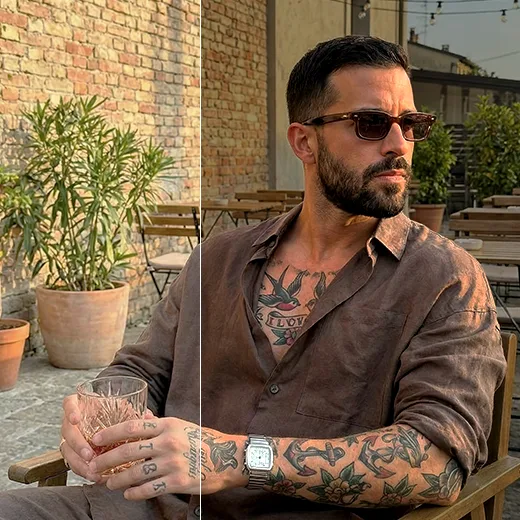
Elevate Your Feed with Professional Instagram Photo Edit Tools
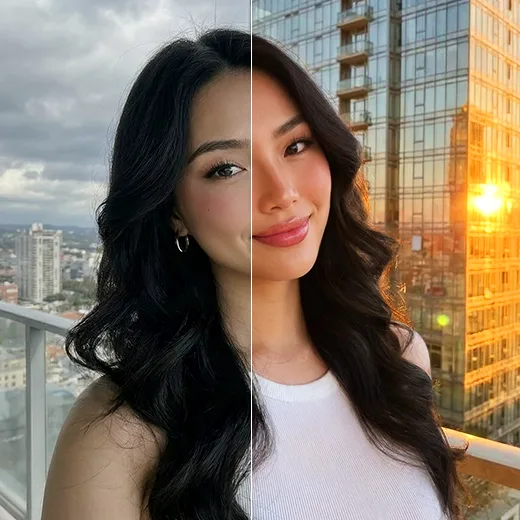
A cohesive aesthetic takes consistency. Our instagram photo edit tools fine-tune every detail: balance skin tones, remove photobombers, or reshape a feature. Rather than one blanket filter, the AI recognizes sky, skin, hair, and background separately, keeping your face bright even against a darker background.
One-Tap Magic for Stories and Posts
When you post in real time, speed matters, so our instagram photo editor is built for it. Tap once to balance exposure and saturation for your Stories, then crop to Instagram's 4:5 or 1:1 sizes without losing resolution.
Stand Out with AI-Powered Creativity
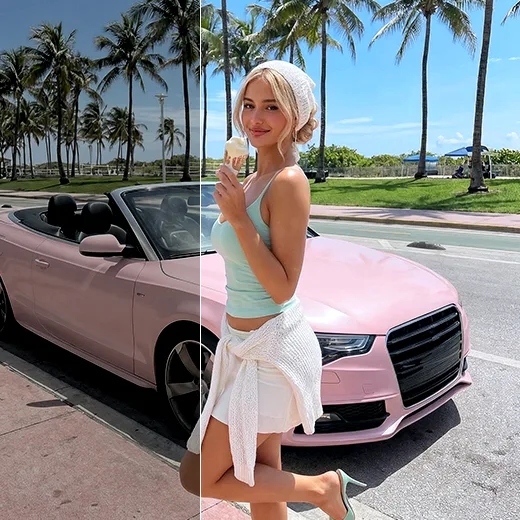
Turn everyday photos into art. With the instagram photo AI editor, add creative overlays, replace backgrounds, and apply style transfers that stop the scroll. Add a golden-hour glow or blur a busy background for a DSLR-style portrait.
Stand out with Facelab.
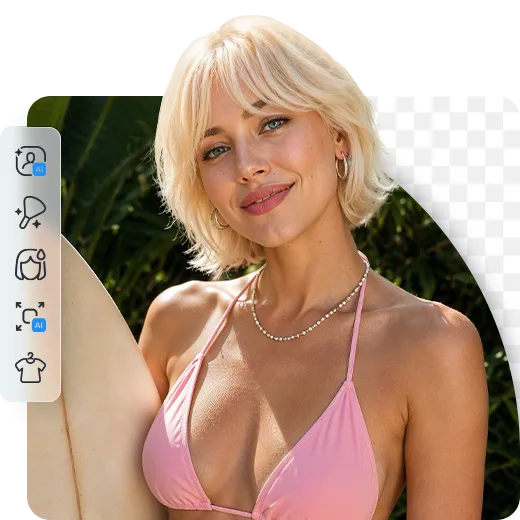
Facelab is the quick and easy photo editing app to make impactful social posts, product images, and creative visuals. Create one-of-a-kind content fast — regardless of skill level — with powerful AI tools, an intuitive editor, and professional results ready to share in seconds.
What our users say
“I used to spend 20 minutes editing photos by hand. Now it takes 5 seconds. The results look more polished too.”
“Perfect for my e-commerce store. My listings look so much more professional now — and it's instant.”
“I tried every free tool out there. Facelab handles edge cases — hair, fine details — better than anything else.”
“I shoot products on my kitchen table. Facelab makes them look like a proper studio shot every time.”
“Used to outsource at $5 a photo. Now it's instant and free. The quality is identical — clients can't tell.”
“I edit photos for marketing assets in minutes. It completely changed how fast I can ship creative.”


Do more with the Facelab app
Get 25+ AI-powered editing tools, filters, and creative effects — free on iOS and Android.


Facelab Instagram AI Photo Editor: Frequently Asked Questions
Discover how to transform your feed and create viral-ready content with Facelab. Read our FAQ to learn how our advanced Instagram photo AI editor streamlines your workflow, from one-tap enhancements for Stories to professional-grade background replacements and color grading.
Why is Facelab considered the ultimate Instagram photo editor?
Facelab is the ultimate Instagram photo editor because it goes far beyond basic, flat filters. Our app provides a comprehensive suite of tools that understand the subtle nuances of lighting, composition, and facial aesthetics to automatically enhance your images and help your content stand out in a crowded feed.
How does Facelab's AI improve my daily Instagram photo edit workflow?
The AI improves your Instagram photo edit workflow by intelligently recognizing specific image elements—like the sky, skin, hair, and background—and enhancing them individually. This allows you to adjust skin tones naturally, remove unwanted photobombers, and achieve a cohesive aesthetic without switching between multiple editing apps.
Can the Instagram photo AI editor help me size my pictures correctly for the app?
Yes! Our Instagram photo AI editor includes dedicated aspect-ratio cropping tools to ensure your photos fit perfectly within Instagram's 4:5 portrait or 1:1 square dimensions. It ensures your images maintain high resolution and look professional on your grid without awkward cropping.
Are there quick editing options for Instagram Stories?
Absolutely. Speed is key for real-time posting, so our Instagram photo editor features a one-tap magic enhance tool. It instantly balances exposure and saturation, making it perfect for quickly polishing your selfies and spontaneous shots before uploading them to your Stories.
What creative effects can I add to my Instagram photo edit?
Facelab gives you the creative freedom to stop the scroll. You can experiment with creative overlays, seamless background replacements, and style transfers. Whether you want to add a golden-hour glow to a cloudy day or blur a messy background to simulate a DSLR portrait mode, our tools make it effortless.
Try Facelab Now!
Virtual makeup, skin retouching, and AI enhancement — free to try right now.
Free to download · No commitment required