

All the photos you see on Instagram are planned, even if they look effortless. Here are five popular poses and how to recreate them.
All the photos you see on Instagram are planned, even if they look effortless. The good news is, you can achieve similar results. Let's explore popular poses and tips on how to recreate them.
Awesome Poses You Need to Know
There are a few cool poses you should try:
Pose 1: Cross One Leg in Front, and Pop Your Knee
That pose makes your legs look longer. Also, it gives you an opportunity to show off your dope kicks. It's also a good way to express your latest athleisure fit. To nail this look, shift most of your weight onto your back leg to keep your balance. Take your other leg and cross it slightly in front, touching the ground with just your toes. Gently push your front knee outward. Finally, tilt your hips back a little and let your arms drop naturally.
Pose 2: Look Away from the Camera
This pose is perfect for thought-provoking shots. The photo can give a wistful, dreamy quality. If your goal is to show your workout results - that will be a perfect choice. To make it, lean gently against a vertical support like a tree or wall. Raise one arm up. Then, rest your hand softly on top of your head and place the other hand on your hip. Finally, tilt your head slightly back, look slightly up and away towards the light.
Pose 3: Look Back At It
This is a great pose to show off your cute back and cheekbones. Your body is turned, but you can still make piercing eye contact with the camera. To nail this look, you need to turn your body away from the camera to show off your back and outfit, and then look back over your shoulder.
Pose 4: Pop Your Hip
Another cool pose to do is to pop your hip. Just place your hand on your waist and pop your hip. For a sassier effect, you can pop a knee too. To get the best shot, ask the photographer to get as low to the ground as possible.
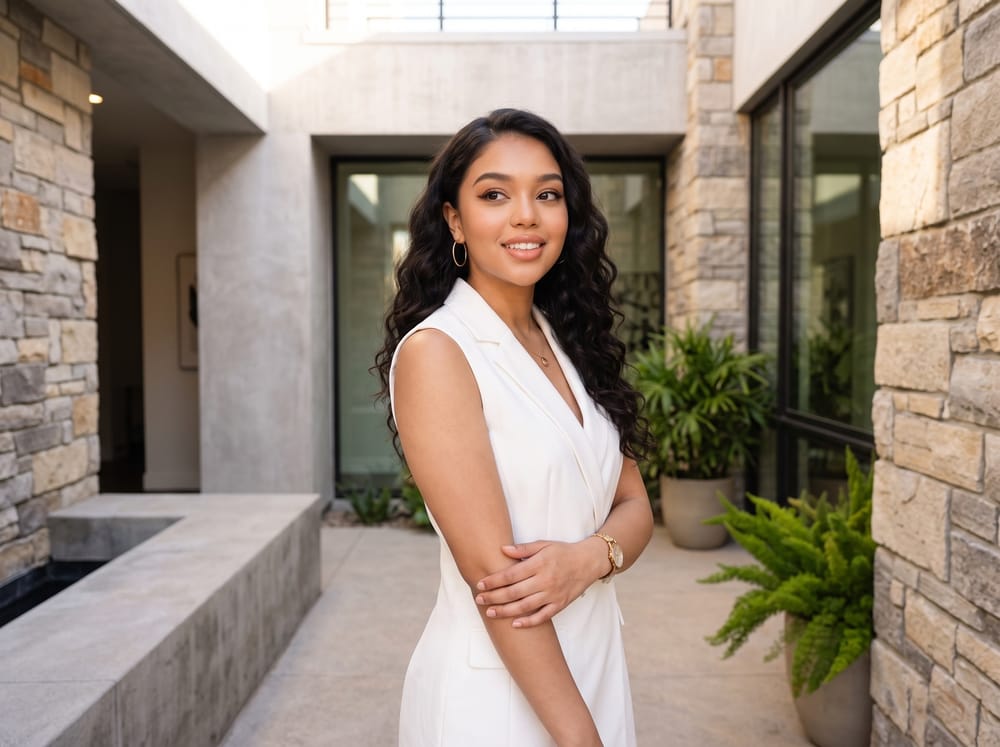
Pose 5: Turn Your Body to the Side
Turning your body to the side makes you look leaner. Start by standing sideways next to a vibrant wall and lean the upper back of your shoulder gently against the surface. Next, turn your head toward the lens and look over your shoulder. To add a natural touch, bring the hand closer to the camera up to your face and tap your glasses.
Popular Poses for Pictures - Which One Is the Best?
Choosing the best pose depends on your profile and what kind of energy you want to show. Facelab enables you to look great no matter which pose you choose. You can smooth skin, remove blemishes, and reshape your face without looking fake, looking instead like the best version of yourself. Check out the tool and try it for yourself!
FAQ
What are cool picture poses?
How to do the "cross one leg in front and pop your knee" pose?
How to do the "look away from the camera" pose?
How to do the ''look back at it'' pose?
How to do the ''pop your hip' pose''?
How to do the ''turn your body to the side pose''?