


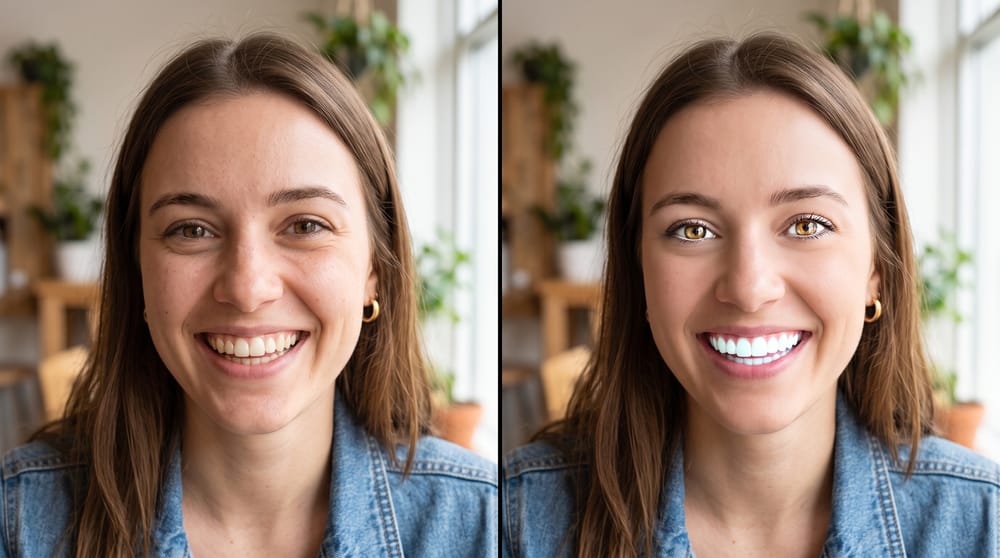
Professional-looking social photos don't require a professional photographer — just good lighting and restraint. Here's what to do (and what to skip) when editing selfies for social media.
You don't need to be a professional photographer to have professional-looking photos on social media. Your mobile phone with Facelab's options can do a great job. Read more to learn how to avoid common photo editing mistakes on social media and how to use viral photo tips for your profiles.
Social Media Photo Tips
A good-looking social media photo starts with good lighting, but smart editing makes it perfect. If you use Facelab, here are some photo editing tips:
Camera & Setup Tips
- Clean your camera lens - smudges and bad light can highlight skin imperfections.
- Change your camera settings: turn on the grid and set the exposure to -0.7.
- For a good-looking selfie, get a selfie stick (it is the best way to take a picture from a distance).
- Keep a natural pose - keep your chin and forehead equidistant from the lens. Also, check your eye contact: you don't need to look directly into the lens, but at a point just slightly below it.
Skin & Face Retouching Tips
- Use subtle edits that nobody notices; avoid over-editing.
- Focus on adjusting symmetry and softening shadows, as these are the highest-impact changes.
- Apply blemish removal, skin smoothing, and wrinkle reduction carefully.
- Brighten the under-eye area to look fresher without looking fake.
- Use the brighten tool only for a gentle boost.
- Avoid over-sharpening your eyes (to prevent an uncanny, digital feel) and do not completely change their color.
- Choose a natural shade of white for whitening teeth.
- Remember the neck and shoulders when you add subtle retouches to your face.
Body & Final Adjustments Tips
- Correct camera angle issues with the "Fix" section.
- Focus on a slight tightening of the waist, a small posture adjustment, and a subtle smoothing of the outline when editing your body.
- Check background lines and fabric patterns after every adjustment to see whether the edits went too far.
- Add subtle warmth to enhance the photo's mood.
- Avoid stacking multiple filters on top of your manual adjustments (pick one and try to apply it lightly).
What Size Should a Social Media Photo Be?
Optimal dimensions are different depending on the platform. For Instagram, it will be 1080×1080 pixels for square and 1080×1350 pixels for portrait. For TikTok, it's 1080×1920. LinkedIn banner images run 1584×396 and the profile image is 400×400. On Facelab, you will not only find photo editing tips, but you can also set the correct dimensions without losing quality and re-exporting.
Social Media Editing With Facelab
Need a perfect profile photo? There is no need to hire an expensive photographer or rent a studio. With our free AI profile picture editor, you can create casual selfies and even high-end portraits. You will find options that improve image quality and offer artistic style choices. All images in Facelab are processed securely on your device or on our encrypted servers. Our app does not require an account. It's a free tool with no watermarks or hidden costs. Download the app from the App Store or Google Play and test it!
Frequently Asked Questions
What are social media photo editing rules?
What are photo editing tips for camera & setup?
What are social media photo tips for skin & face retouching?
What are photo tips for body & final adjustments?
Is Facelab a free tool?
More in Social Media
View all
How to Retouch Photos for Social Media Like a Pro
The photos that perform best on social media tend to share one quality: they look effortless. Not filtered, not obviously edited, but clean, bright, and well-composed.
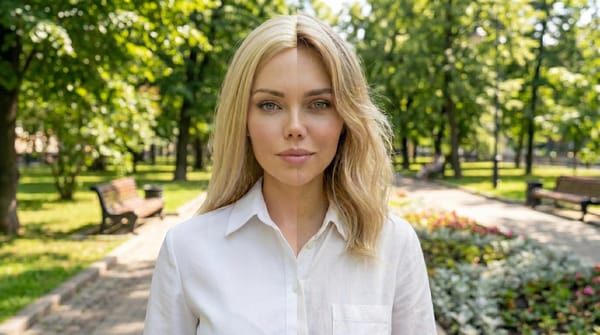
How to Retouch Photos for Instagram Without Looking Fake
Natural social media photo editing focuses on adjusting lighting and reducing minor distractions rather than completely changing your features.